How To Get A Free Lego Skin in Fortnite
Here's a quick guide that will help you get a free Lego skin in Fortnite.

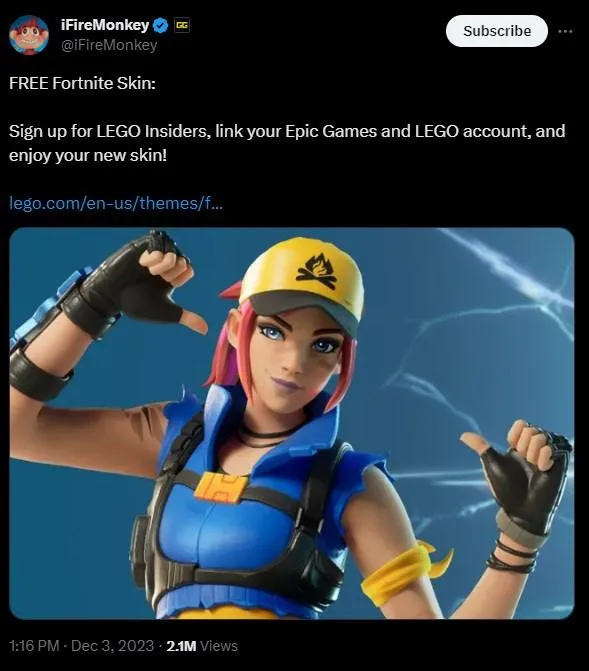
A new gameplay mode, Lego Fortnite, is set to launch on Thursday, December 7th. To add to the celebration, you can snag a free Lego Insiders skin by linking your Lego and Epic Games accounts. Follow our simple guide below to get your hands on this exclusive cosmetic.
How To Get A Free Lego Skin in Fortnite
-
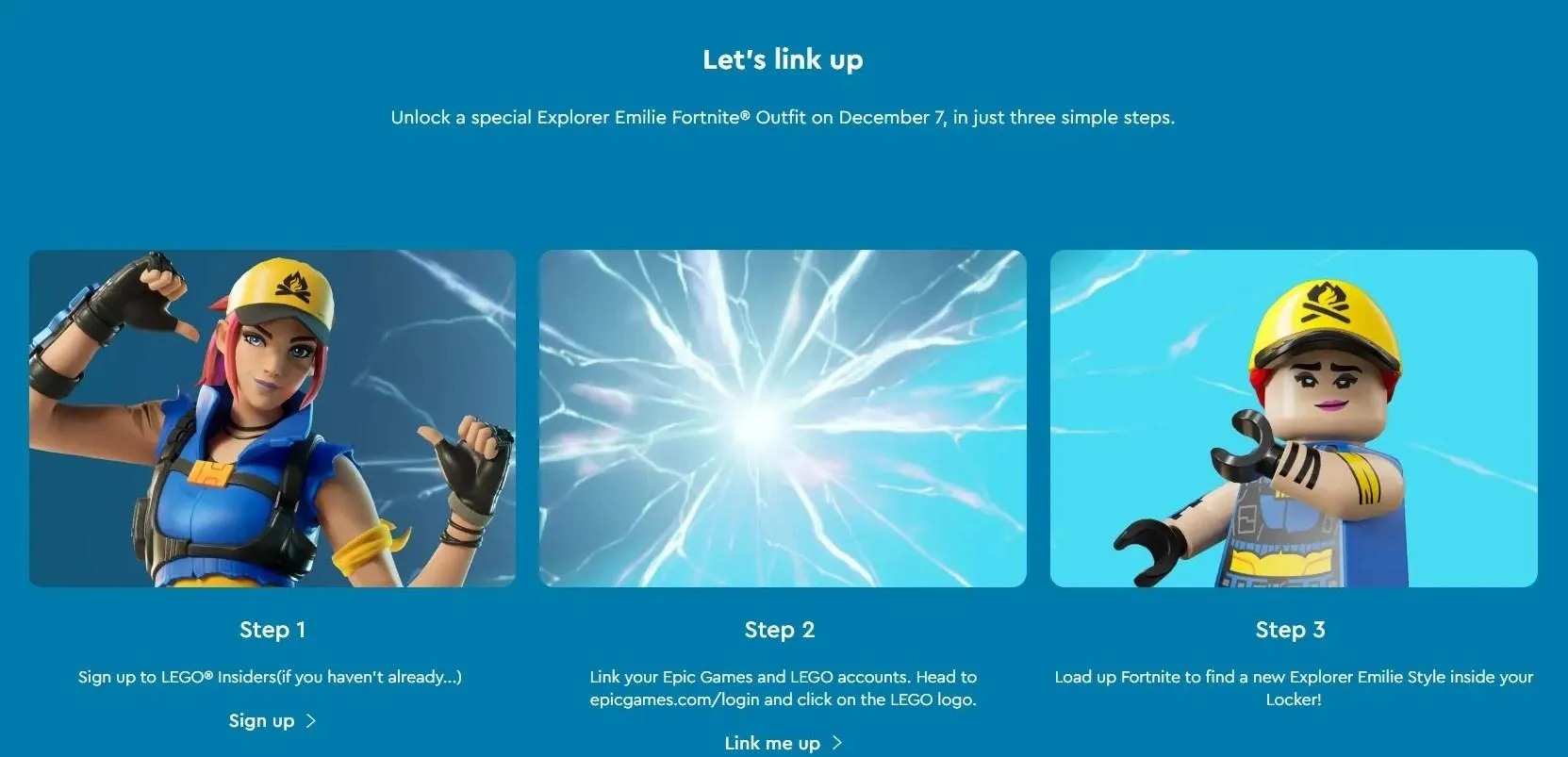
Sign in or create account in the Lego website
-
Visit the Epic Games website.
- Click the sign-in button in the top-right corner next to the blue download button.
-
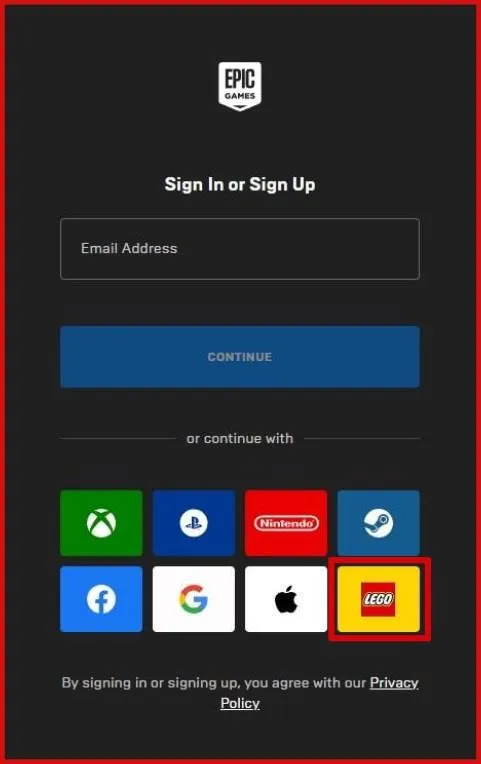
Sign in using the Lego symbol.
- Enter your Epic Games email and password linked to your Fortnite account.
-
Link Lego Insiders with Epic Games.
- After signing in, check your Locker in Fortnite after December 7th to claim your free Explorer Emilie skin!
Verify If Your Account is Linked
- If unsure about the successful link, navigate to the 'Account' option on the sign-in drop-down box on the Epic Games homepage.
- Choose 'Apps and Accounts' from the list on the left.
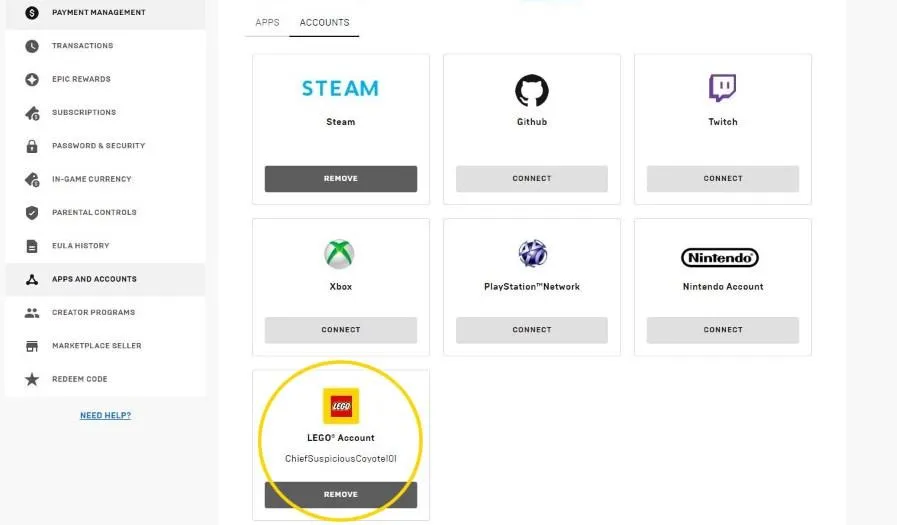
- If linked successfully, you'll see your Lego username below the Lego symbol, with the option to remove the connection if needed.
Remember, the Lego Insiders Explorer Emilie skin will be ready for use once the Lego Fortnite mode launches on Thursday, December 7th. Additionally, any Battle Royale skins with a Lego style will automatically be available for use in Lego Fortnite, providing you with plenty of styling options. Enjoy your Lego Fortnite adventure!